
The New Vineyard Management Is Here
The management of your vineyards in Vinitor has been redesigned from the ground up. Whether at your desk in the office or out on the estate — with the latest update, daily work with your vineyard data becomes faster, clearer and less error-prone.
Everything at a Glance: Map and Table Together
Until now, you had to switch back and forth between the map view and the table. That’s over: the new overview shows your vineyards simultaneously on an interactive satellite map and in a table below it. Click a vineyard in the table, and the map jumps to it — and vice versa. That way, you always see location and data together.
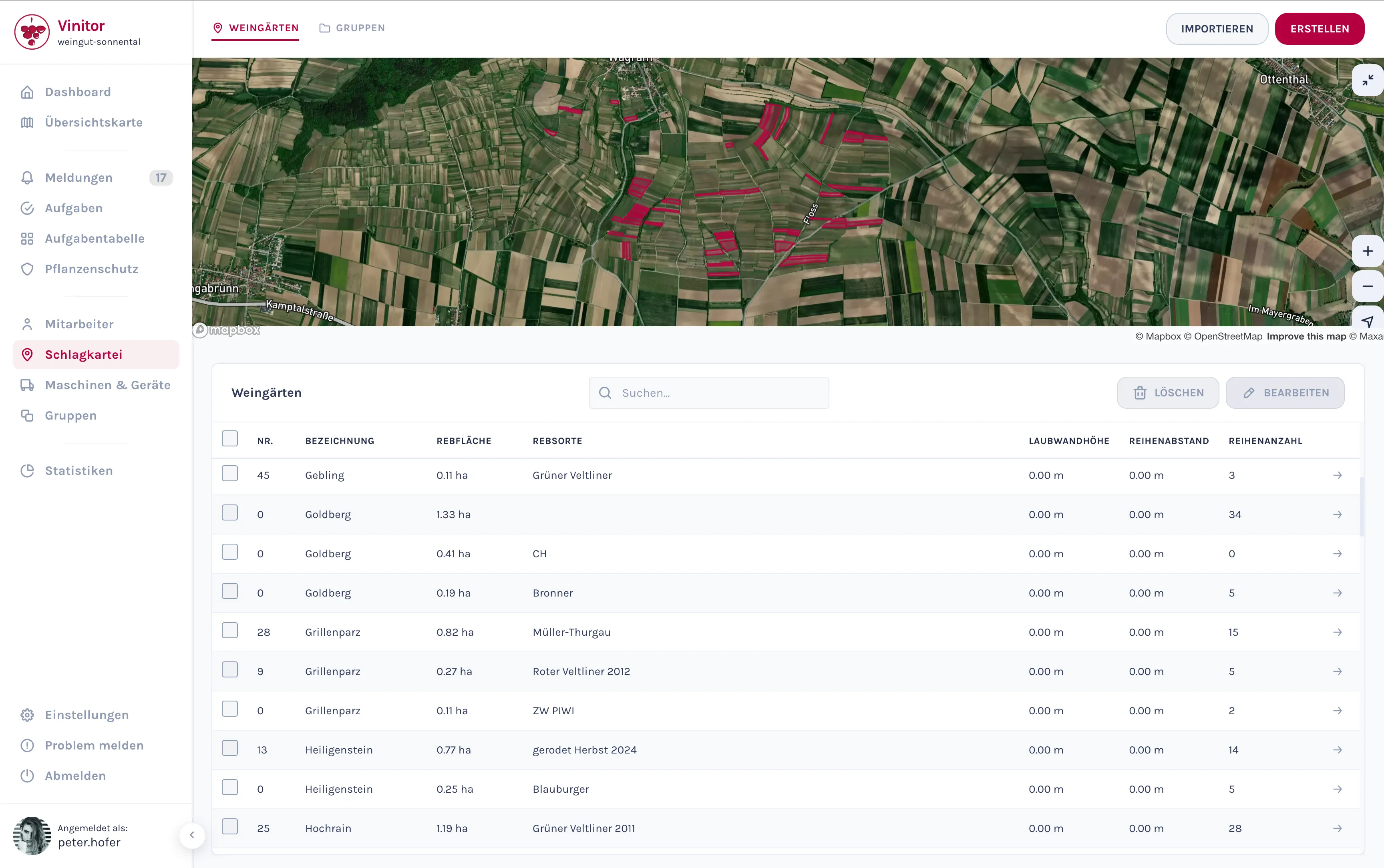
Practical for everyday use: Need to update the leaf wall height for 20 vineyards after the season? Select the affected entries via checkbox, click “Edit” and change the value for all of them at once. No vineyard needs to be opened individually anymore.
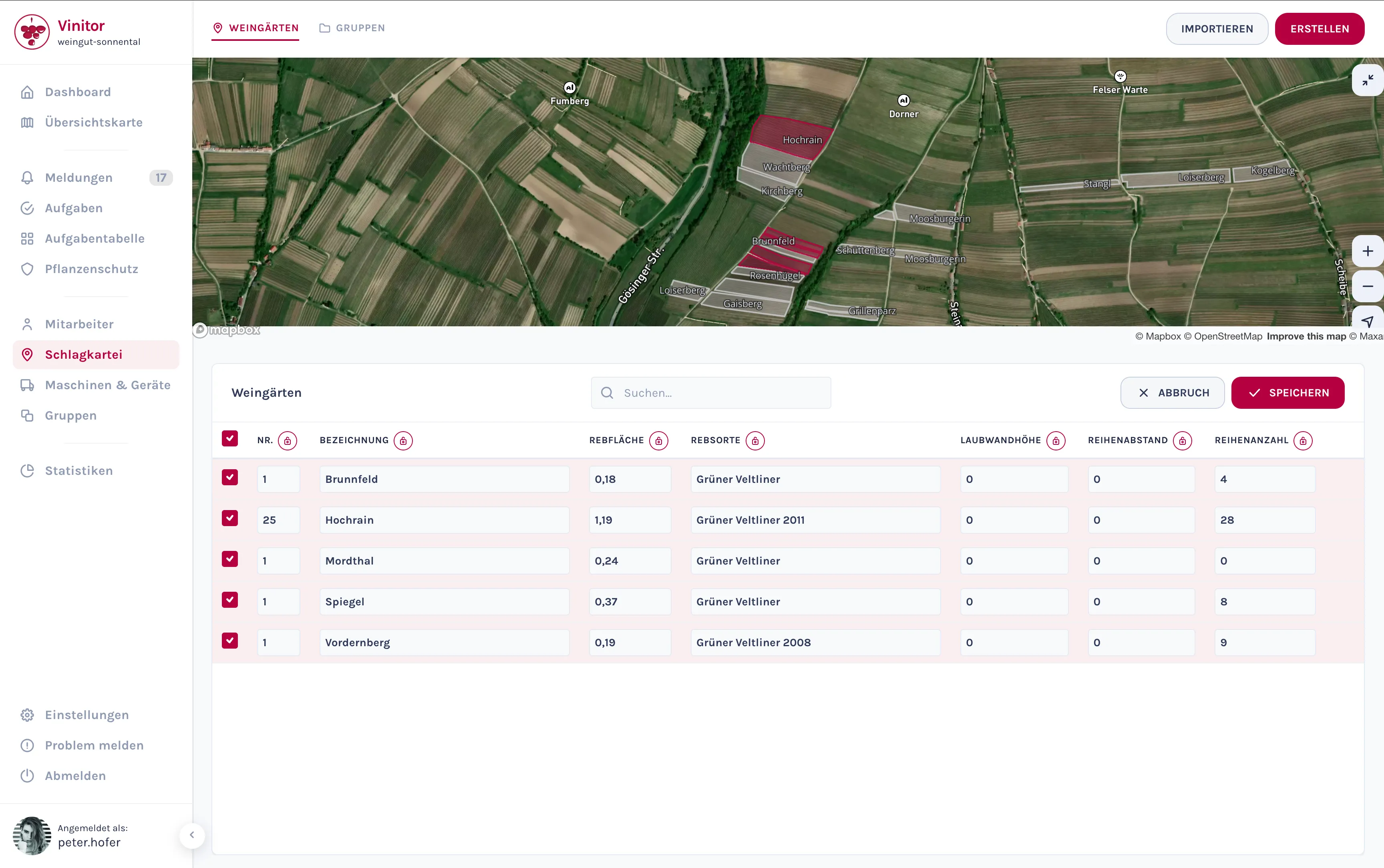
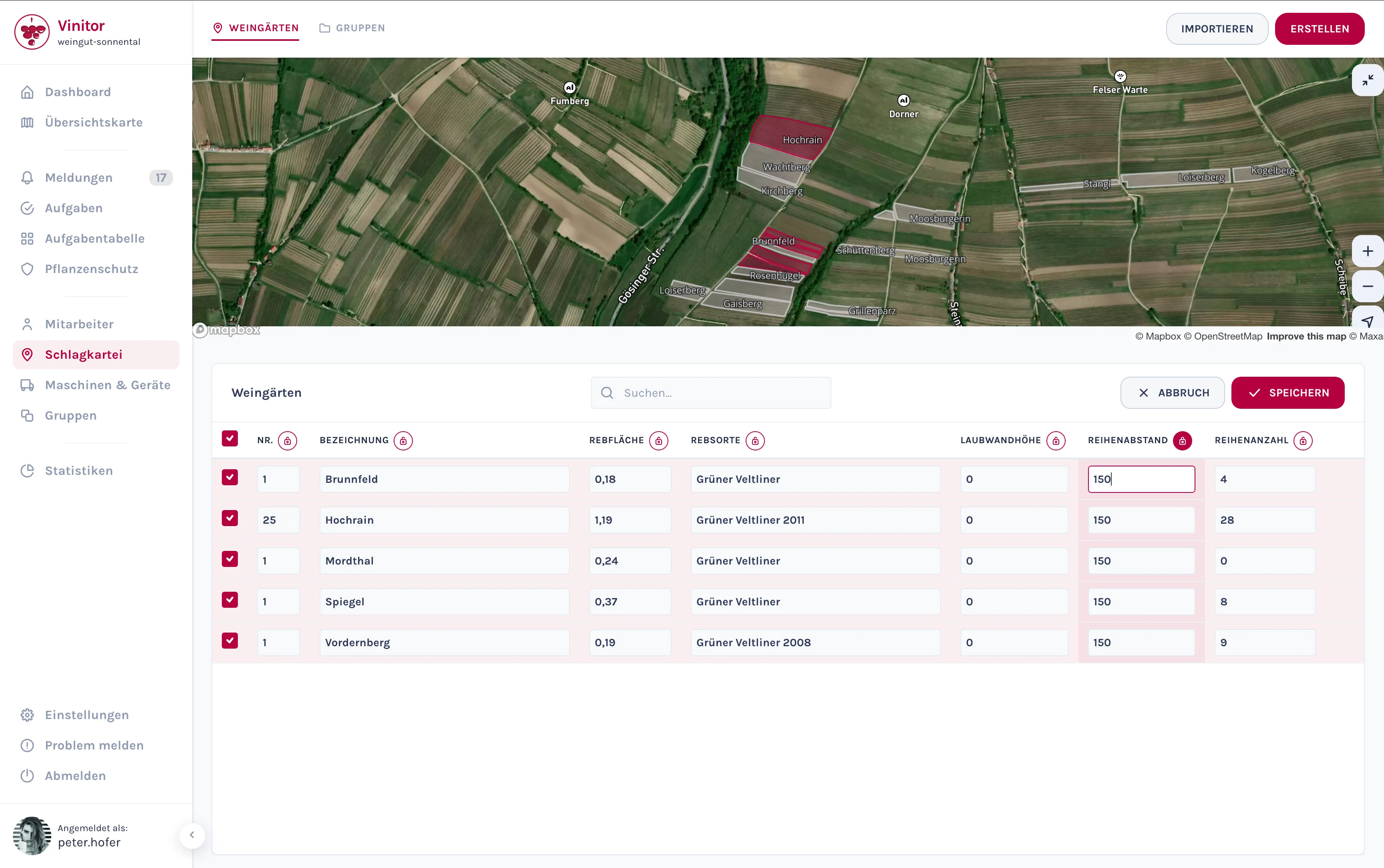
Good to know: Clicking the lock icon on a column lets you set the value for all selected vineyards at once — ideal when, for example, ten vineyards need the same row spacing.
Tip: If you zoom in close enough, your vineyards’ names are shown directly on the areas — especially helpful when many vineyards lie close together.
New Vineyard Detail: Everything in One Place
When you open a vineyard, you’ll now find all related information on a single page — clearly organised into tabs. At the top, you see the master data with a map excerpt; below, you switch between:
- Tasks — Which jobs are upcoming or have been completed? Create new tasks directly, without leaving the page.
- Plant Protection — Spray plans and plant protection measures at a glance.
- Groups — Which groups does this vineyard belong to?
- Files — File photos, reports or other documents directly against the vineyard via drag-and-drop.
- Log — Who changed what, and when? Every edit to master data, areas, files or group membership is documented automatically.
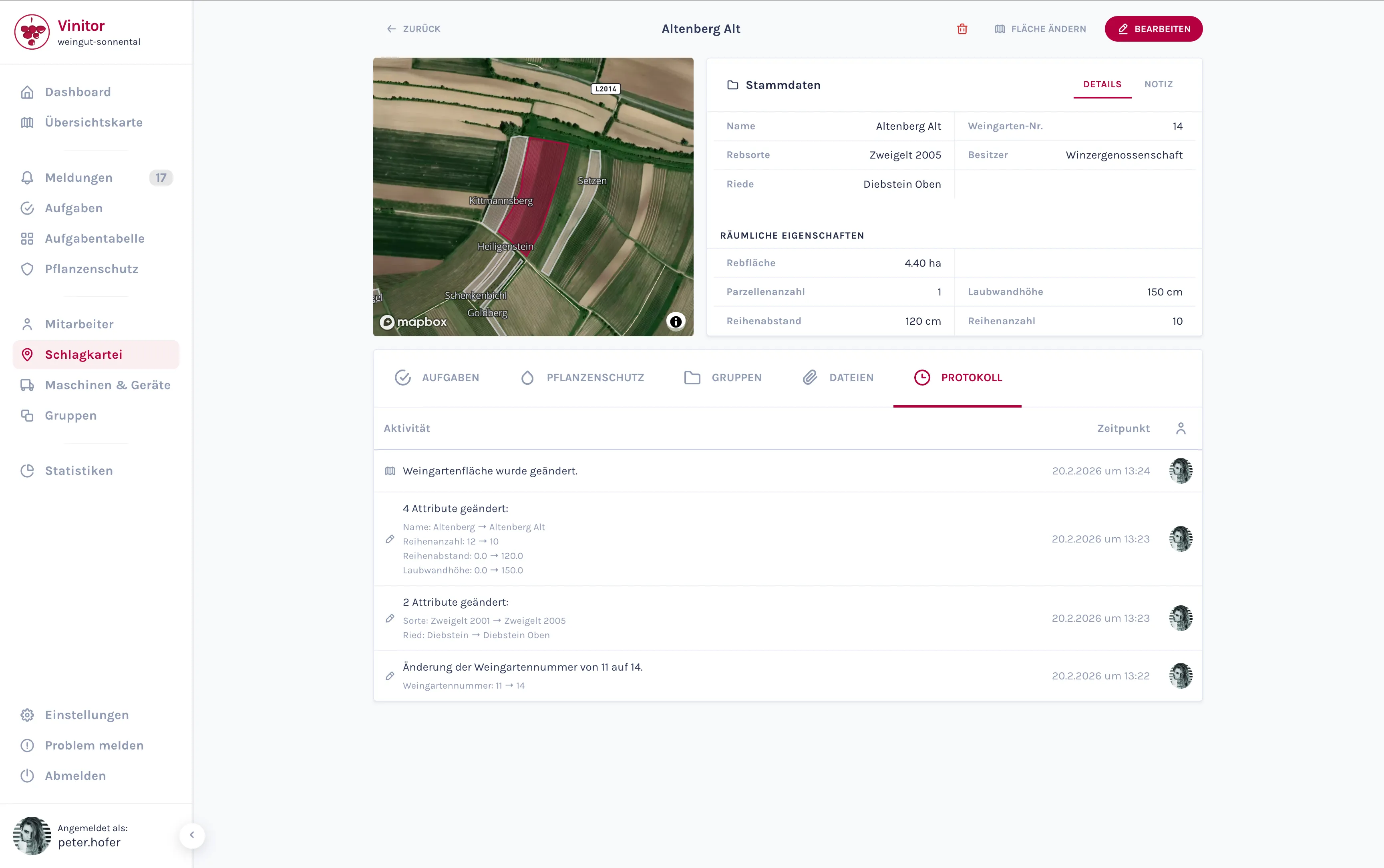
Why this matters: Especially when several people in the business work with the data, the log creates transparency. You immediately see whether a colleague has already updated something — and exactly what.
Creating Vineyards: Take the Area Directly from Official Data
Until now, new vineyards had to be laboriously drawn onto the map by hand. The new creation wizard makes this far simpler: in four steps — area, master data, attachments, groups — you’re done.
What’s special about the first step: the “Official Data” button lets Vinitor automatically load the officially registered parcels in your area. Navigate the map to your location, and the available plots appear as outlines. With one click, you take over the desired area — exactly, and without redrawing.
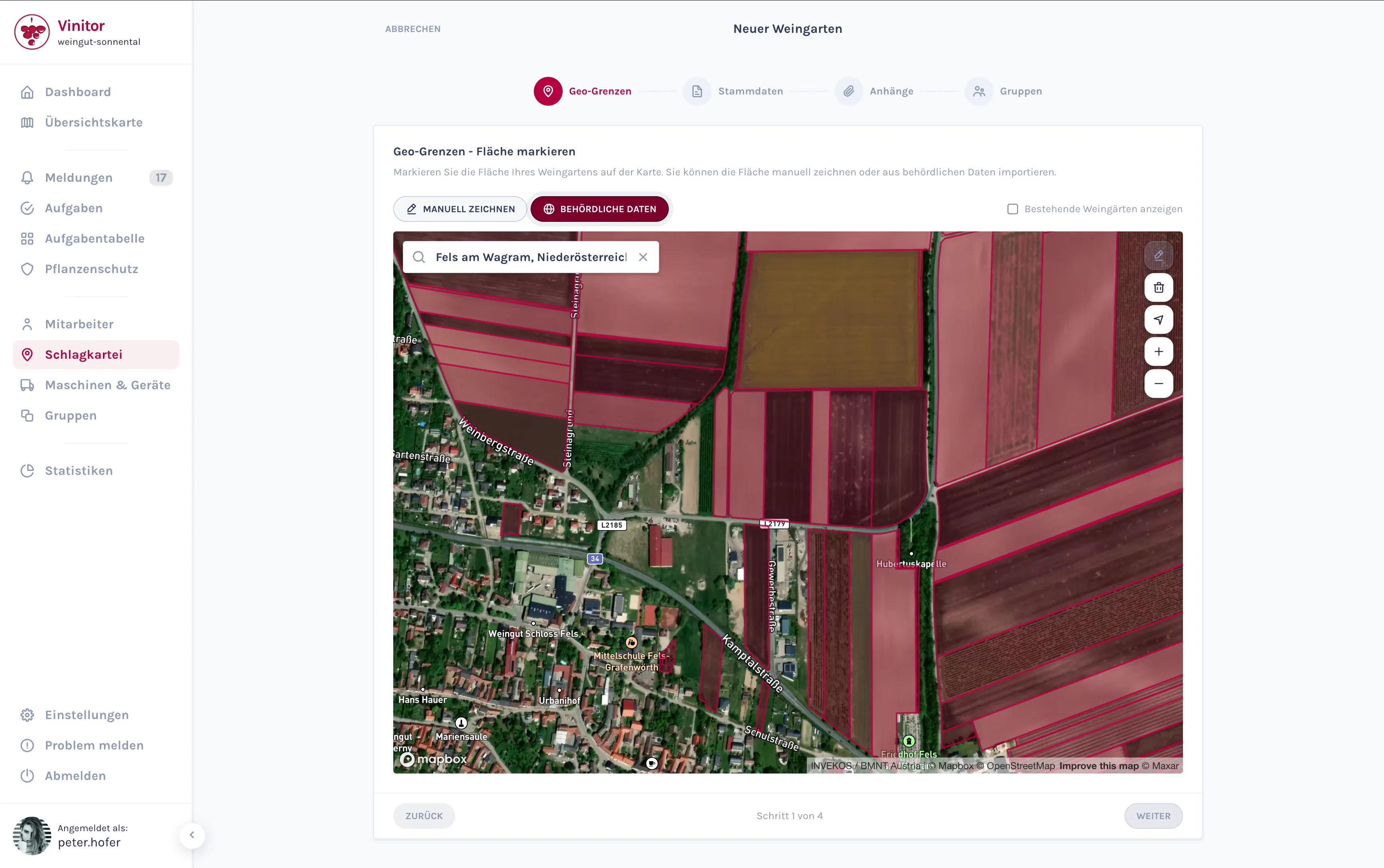
Currently supported regions: Austria, Switzerland, Czechia, parts of Germany (Baden-Württemberg) and South Tyrol. More regions to follow.
Vineyard Import with Automatic Conflict Detection
Many businesses regularly import their vineyard data from external sources. Until now, imported areas could collide with existing entries — without this being noticed straight away.
The new import wizard solves this: after uploading your file, Vinitor automatically checks whether imported areas overlap with existing vineyards. Conflicts are visualised on a map, and you decide individually for each overlap how it should be resolved. That way, no duplicate or contradictory areas end up in your system.
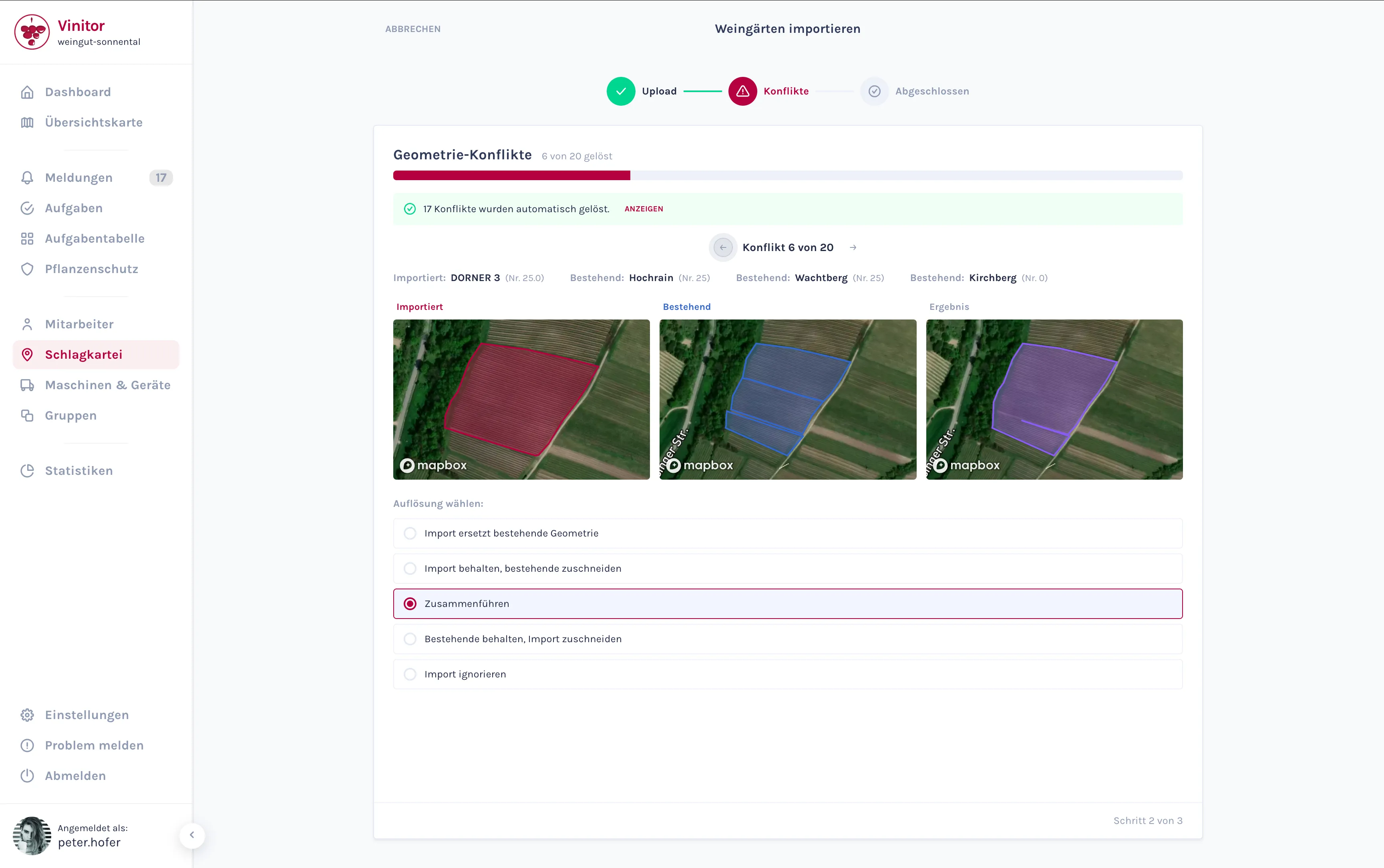
Supported formats: Besides standard shapefile imports, exports from the following regional systems are directly supported: eAMA (Austria), LAFIS (South Tyrol), FIONA (Baden-Württemberg) and LEA RLP (Rhineland-Palatinate).
Groups: Overview, Map and Optimised Order
Vineyard groups now have their own full-fledged management. On the group overview, you see all groups with vineyard count, grape varieties and total area — including a sidebar with details on the selected group.
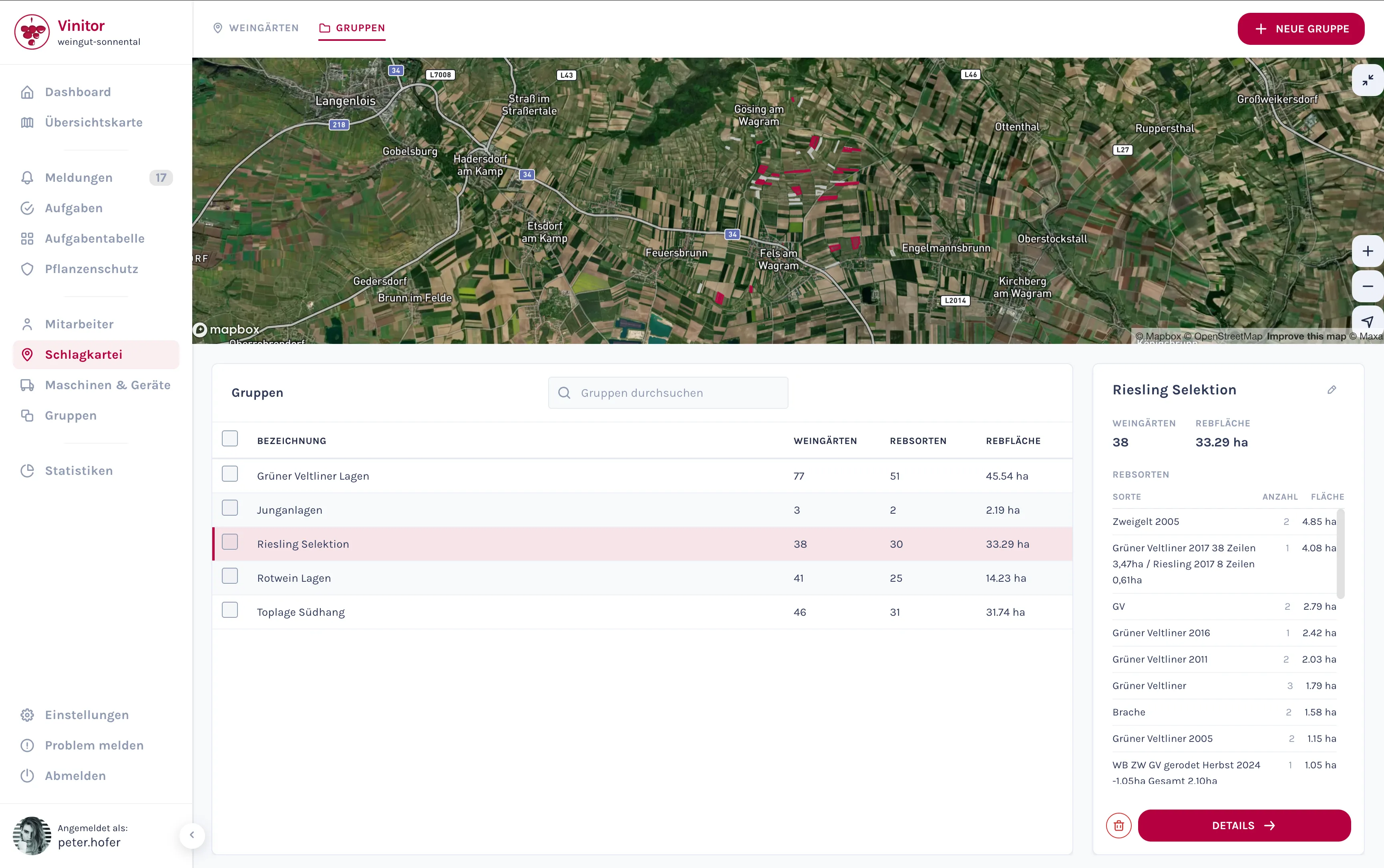
One click opens the detail view of a group — with a map showing all associated areas numbered, and a listing of the grape varieties and areas it contains.
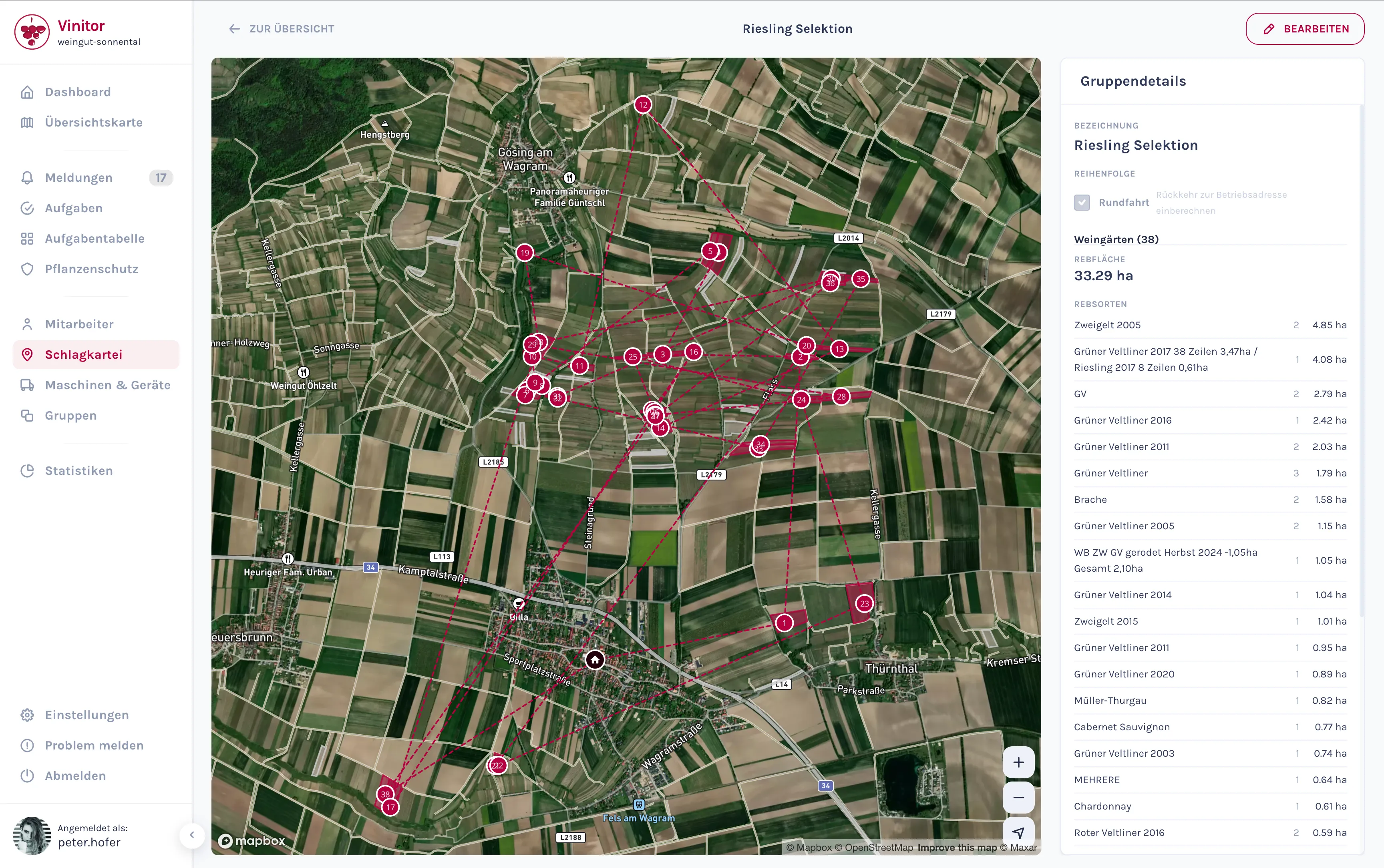
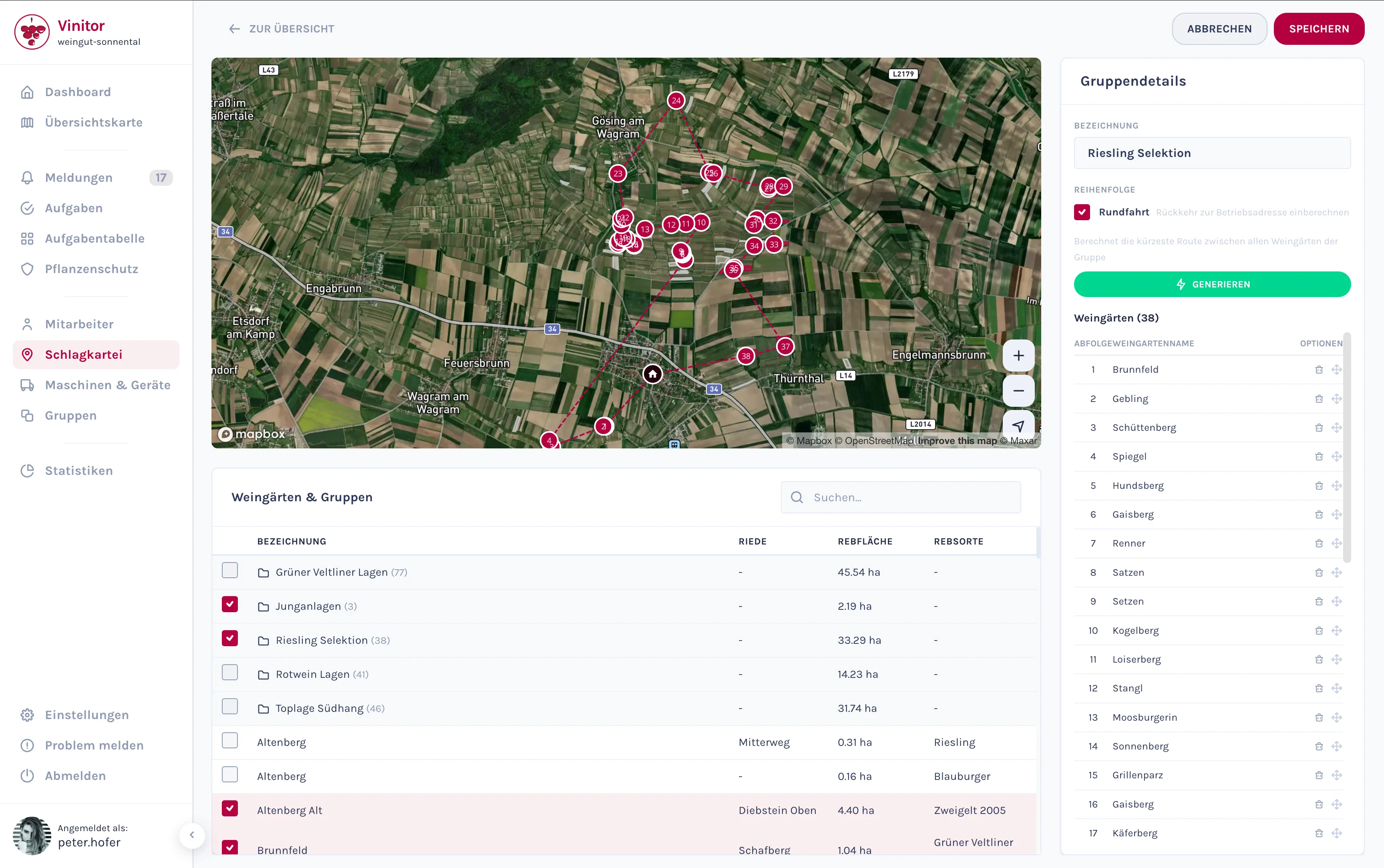
Practical for everyday operations: If you regularly drive a round of a group of vineyards — for example for inspections or spraying — Vinitor calculates an optimised visiting order starting from your business location. In edit mode, you activate the round-trip option and see the calculated order directly on the map.
Further Improvements
- Deleting vineyards — Individually via the trash-can button on the detail page, or several at once via the overview. Always with a confirmation dialog, so nothing gets lost by accident.
- Clearer actions — “Change area”, “Edit” and file management are now separate buttons with distinct icons. No more guessing what each button does.
All the new features are now available in your Vinitor dashboard. We look forward to your feedback — feel free to reach out any time via our support portal.