
Working Hours, Absences and Inactive Vineyards — the April Update Is Here
Vinitor is becoming more than just vineyard management. Today’s update adds features that cover your whole daily operation: full time tracking, absence management with an approval workflow, and a redesigned salary system. In addition, meadows and fallow land can now be marked as inactive — and no longer count toward your monthly billing.
Time Tracking: Hours, Breaks and Daily Overviews
Working hours are now recorded directly in Vinitor. Employees start and stop their time tracking — including breaks — and see their daily working time at a glance. As the business owner, you have a company overview with all employees, overtime and shortfall calculations, and the option to export data as PDF or CSV.
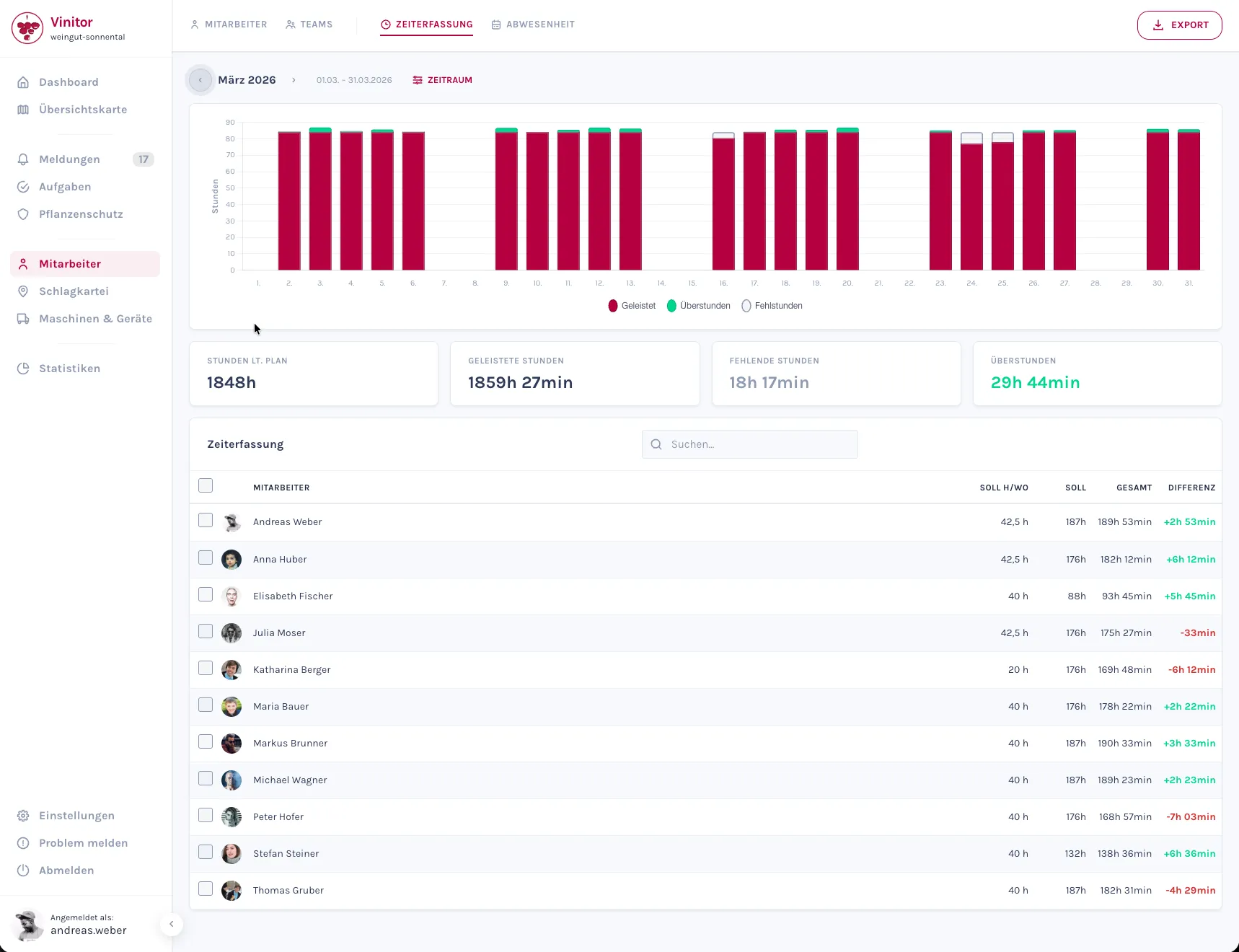
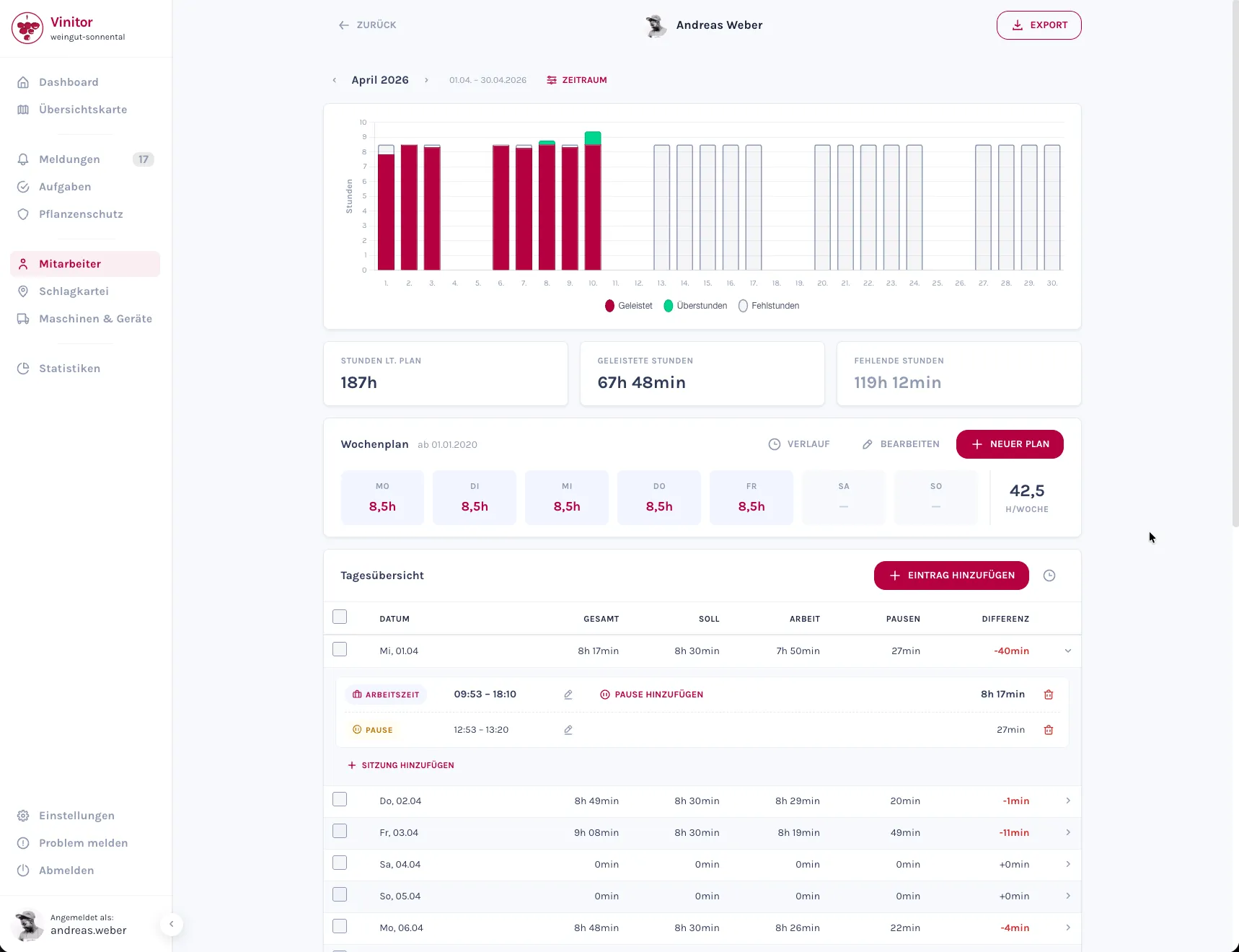
Manual editing with change history: Time entries and breaks can be edited retroactively — for example, if an employee forgot to start their break. Every change is logged with a timestamp and user, so it always remains traceable who adjusted what and when.
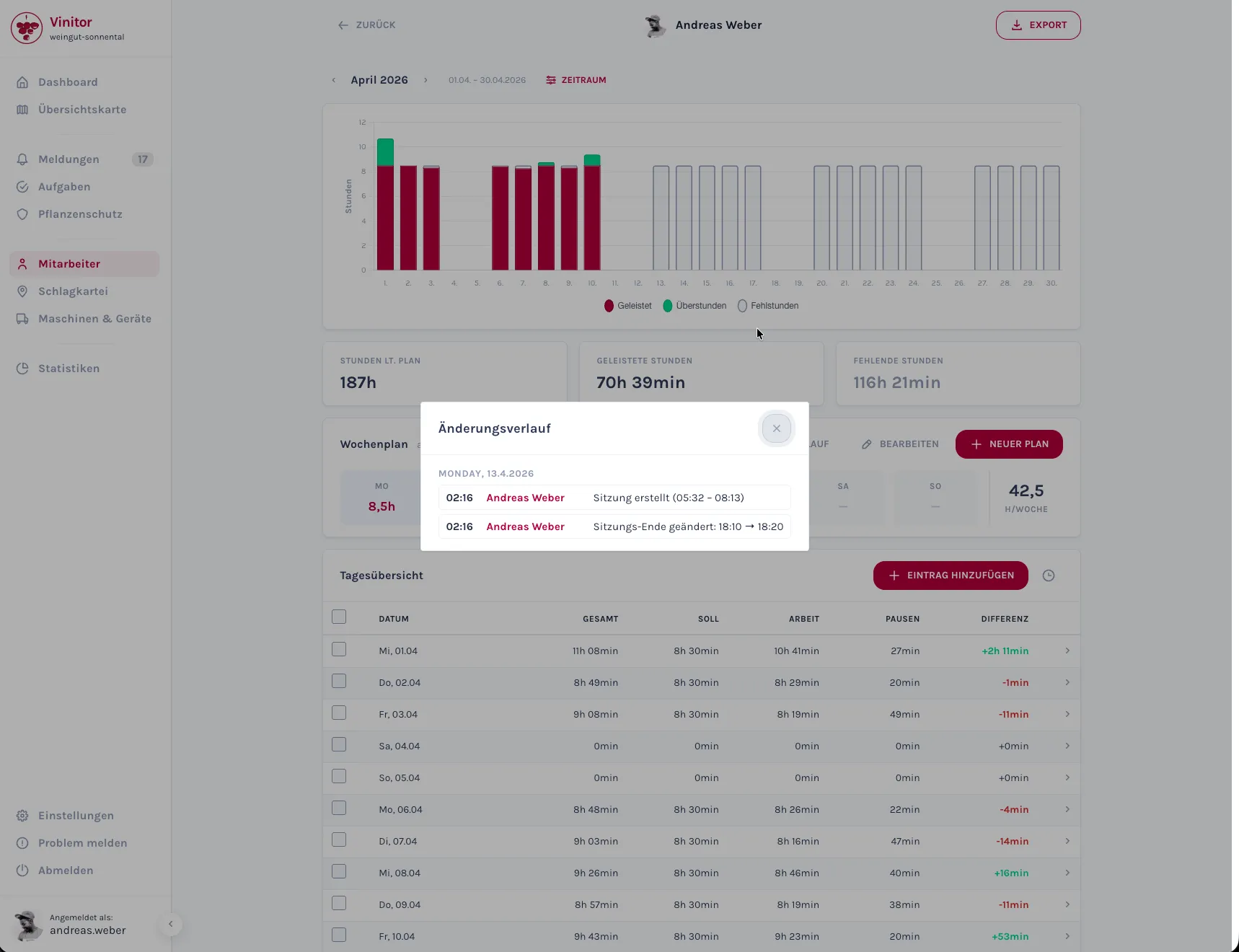
Drill-down per employee: Clicking an employee shows you all of that month’s time entries in detail — with the option to edit individual entries or create new ones. Working-time schedules are taken into account directly, so overtime and shortfall hours are calculated automatically.
Absence Management: Calendar, Requests and Approvals
Leave and sick leave notifications can now be managed directly in Vinitor. The new calendar timeline shows you all your employees’ absences at a glance — colour-coded by type.
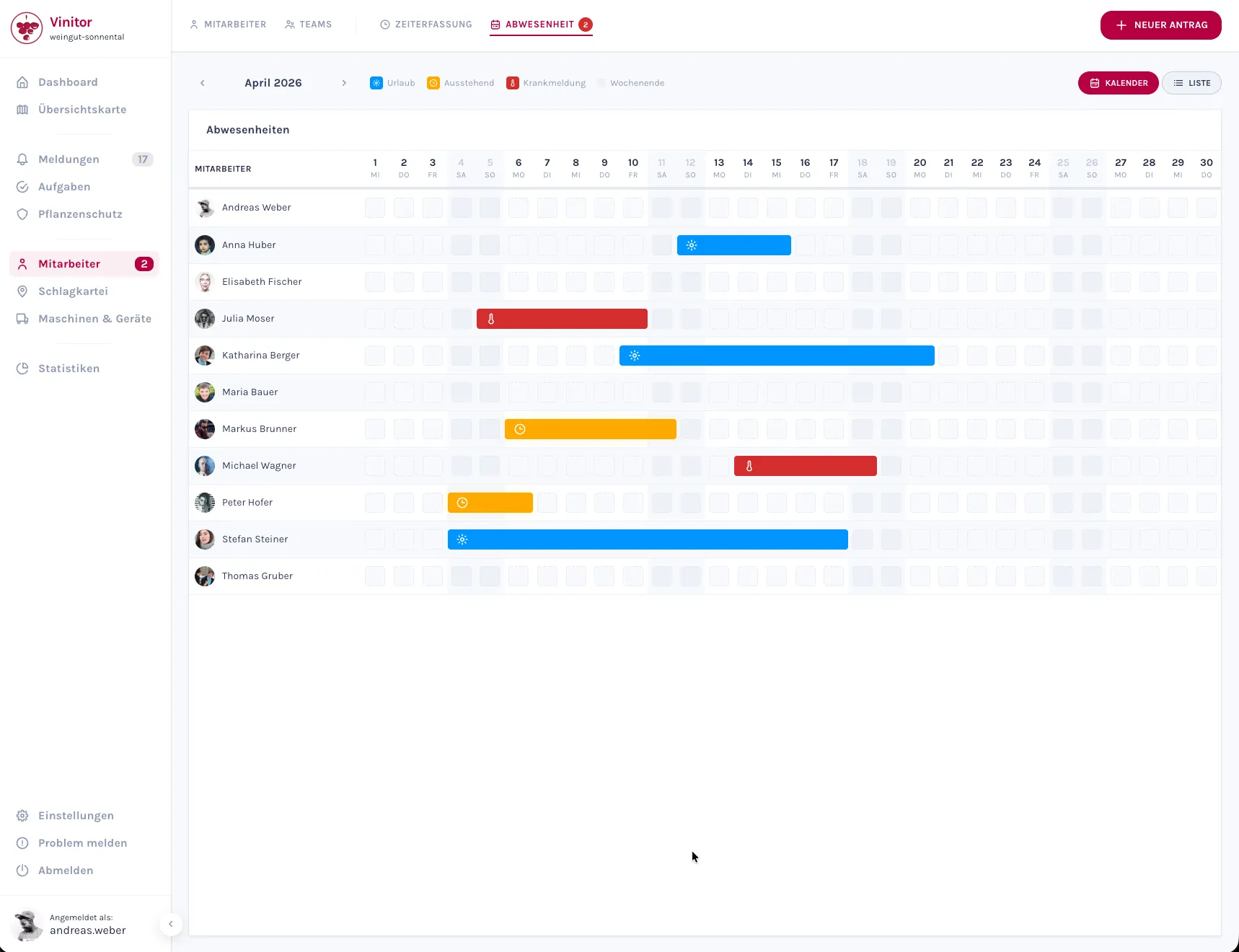
Requests via drag-to-select: To create a new absence, simply drag across the desired days in the calendar. A dialog opens where you choose the absence type and can optionally add an attachment — for example, a doctor’s note for sick leave.
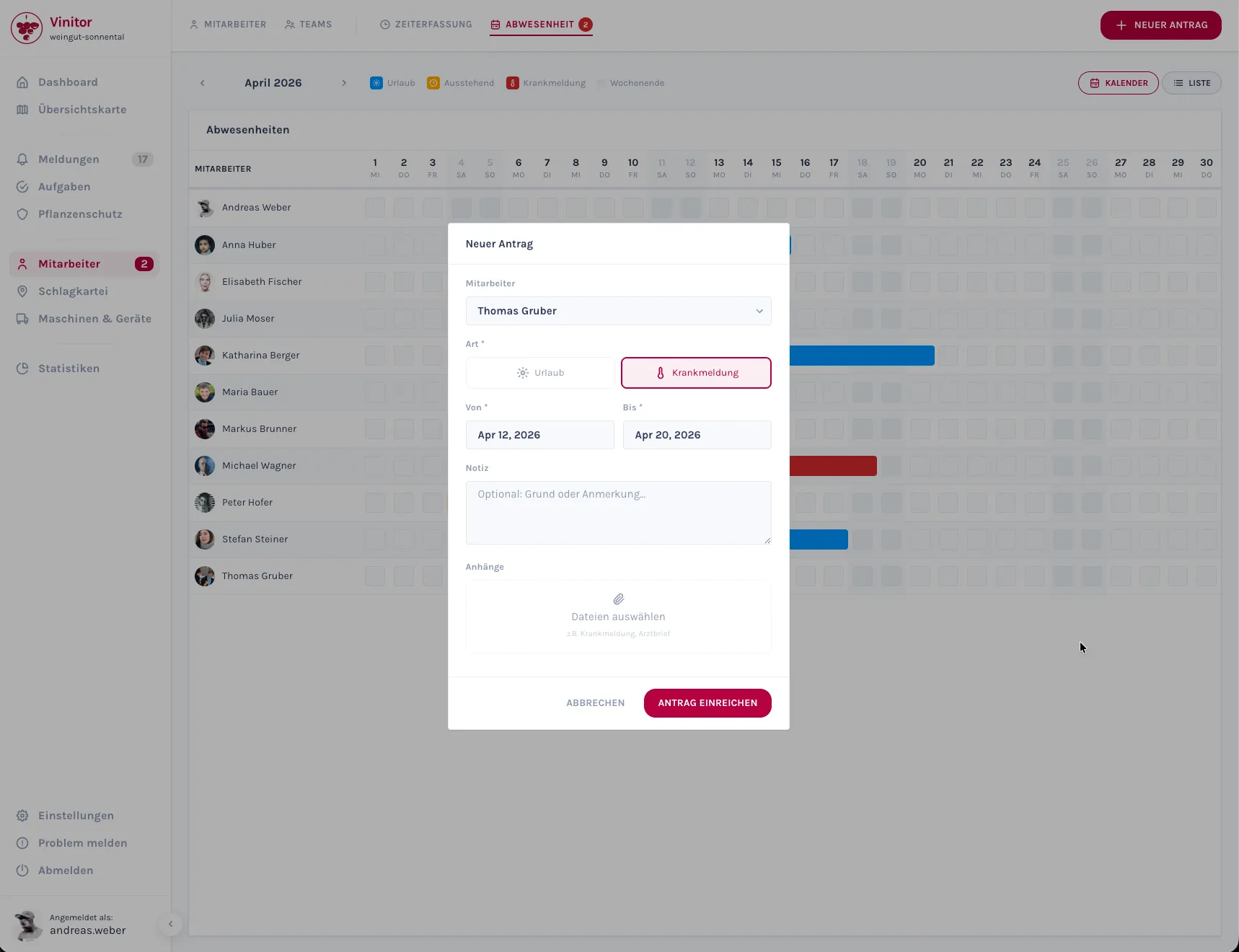
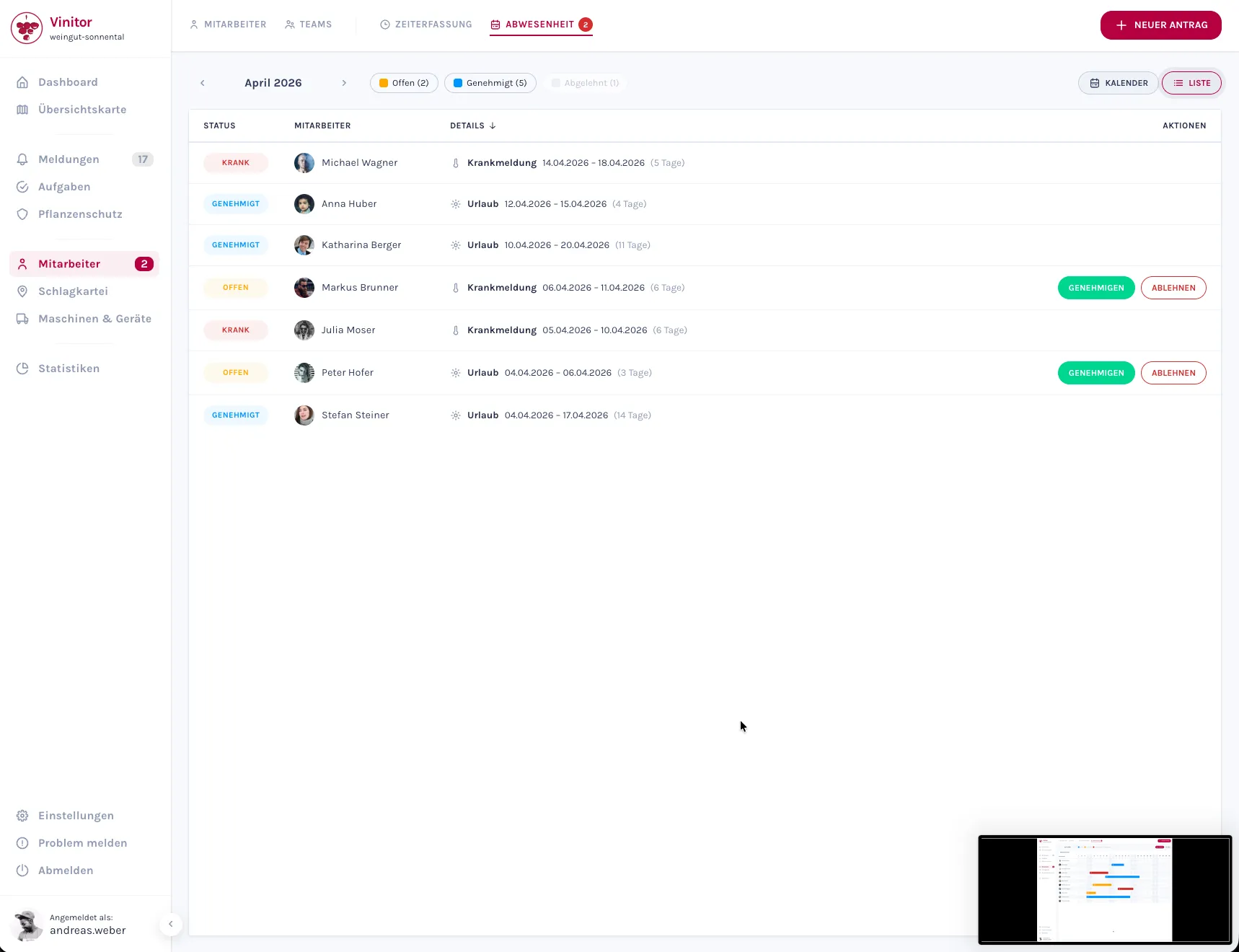
Approval workflow: Submitted requests land with the status “Pending” with the responsible people and can be approved or declined. Who may submit requests and who may approve them is controlled through the permission system.
Two views: Alongside the calendar timeline, there’s a list view where all requests are listed in a table with status, period and type — handy for a quick overview or for filtering.
Salary and Working-Time Models
Salaries and working-time models have been fundamentally reworked and are now found directly on the user detail page — no more detour via a separate page. The system distinguishes between hourly and monthly wages and supports multiple currencies.
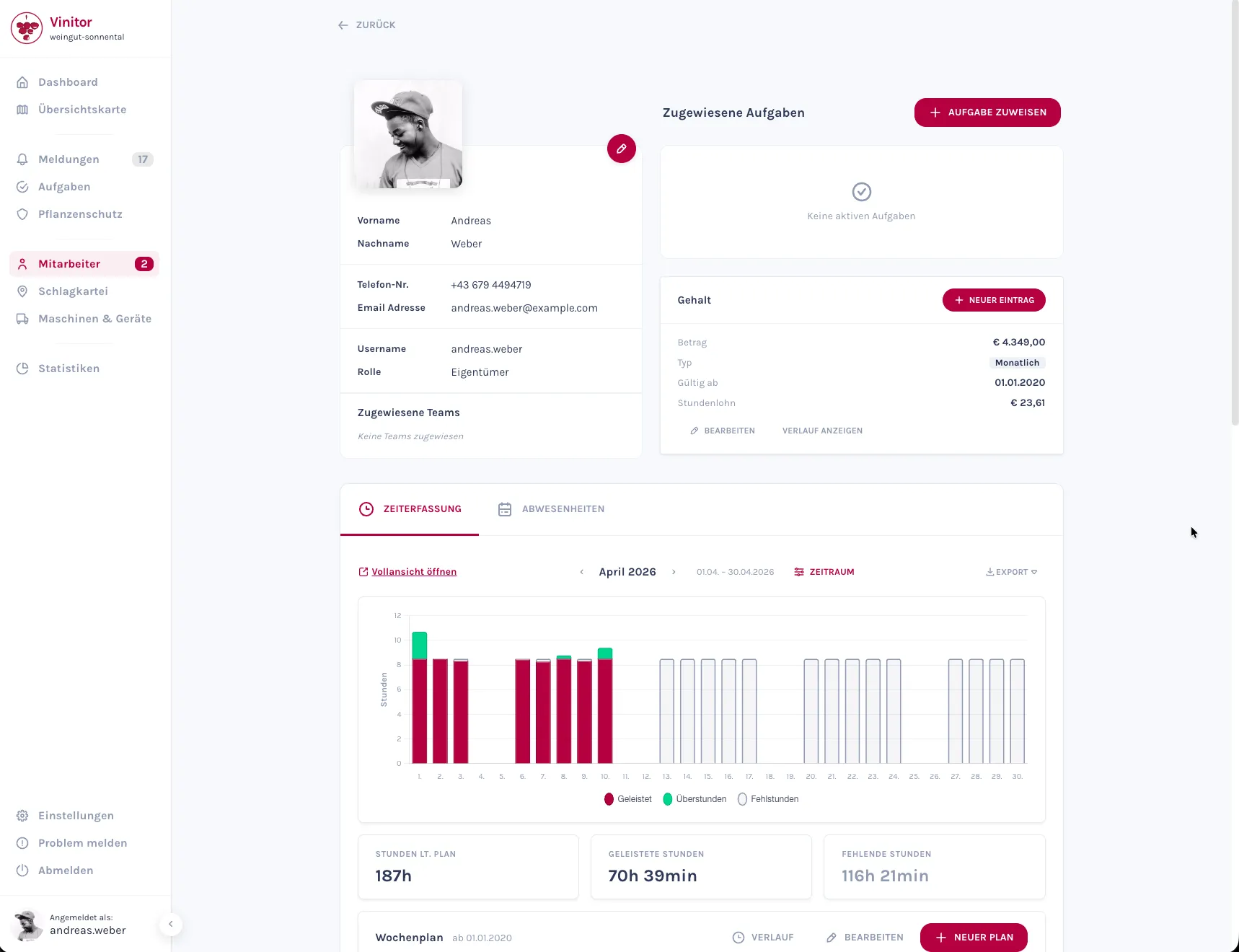
Working-time models define the target working time per weekday. Combined with time tracking, Vinitor uses this to automatically calculate overtime and shortfall hours — up to date, per employee.
Vineyard Status: Active and Inactive
Not every vineyard is under cultivation all year round — and some areas, like meadows or fallow land, aren’t actively used at all. From now on, you can mark such vineyards as inactive.
Most importantly: inactive vineyards no longer count toward your monthly billing allowance. Meadows and fallow land that were previously counted can now be marked as inactive — so you only pay for the areas you actually cultivate.
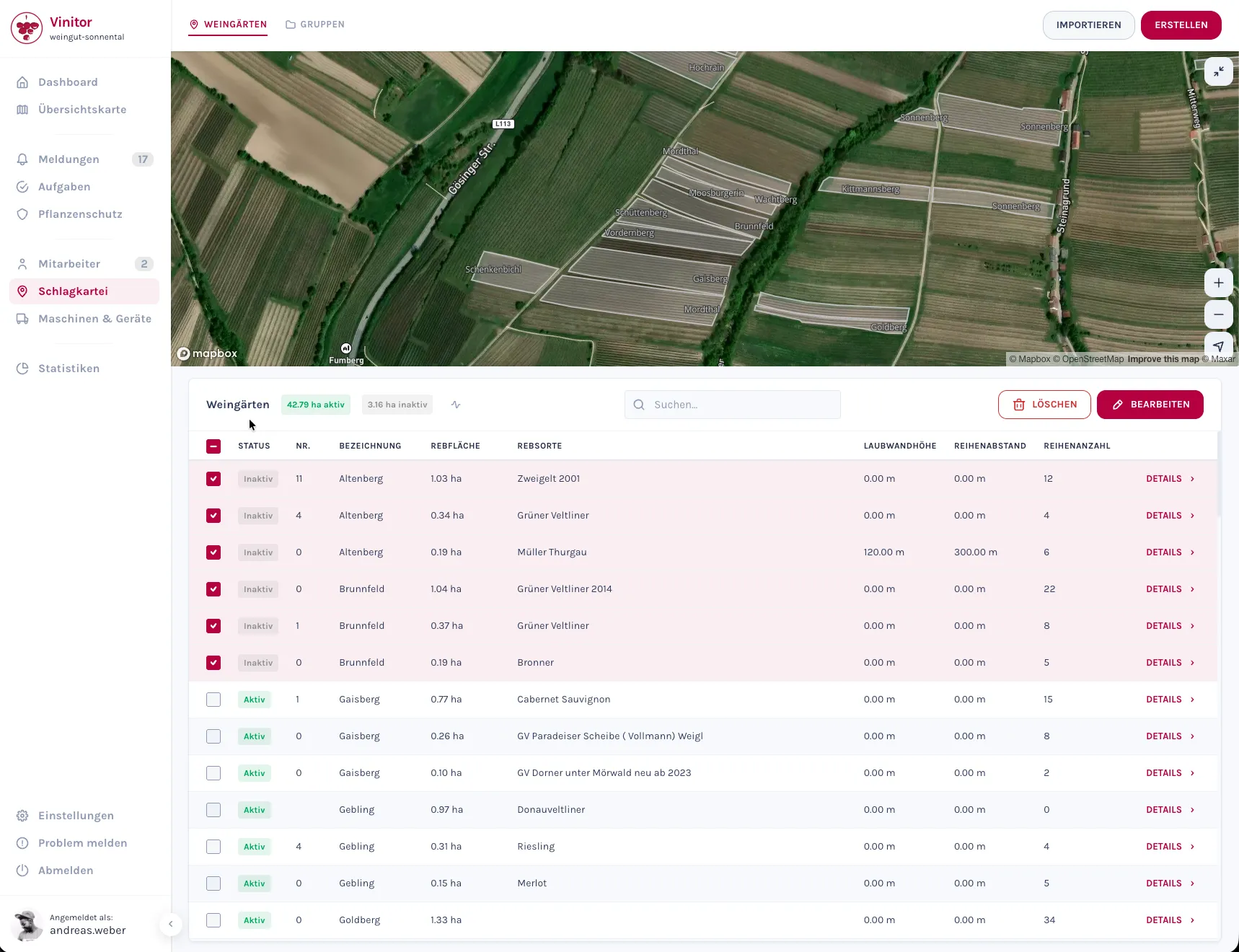
Automatic cleanup: When deactivating a vineyard, its associated open tasks are automatically removed and the vineyard is released from all groups — keeping your active work lists clean.
Swiss Vineyard Import (LAWIS)
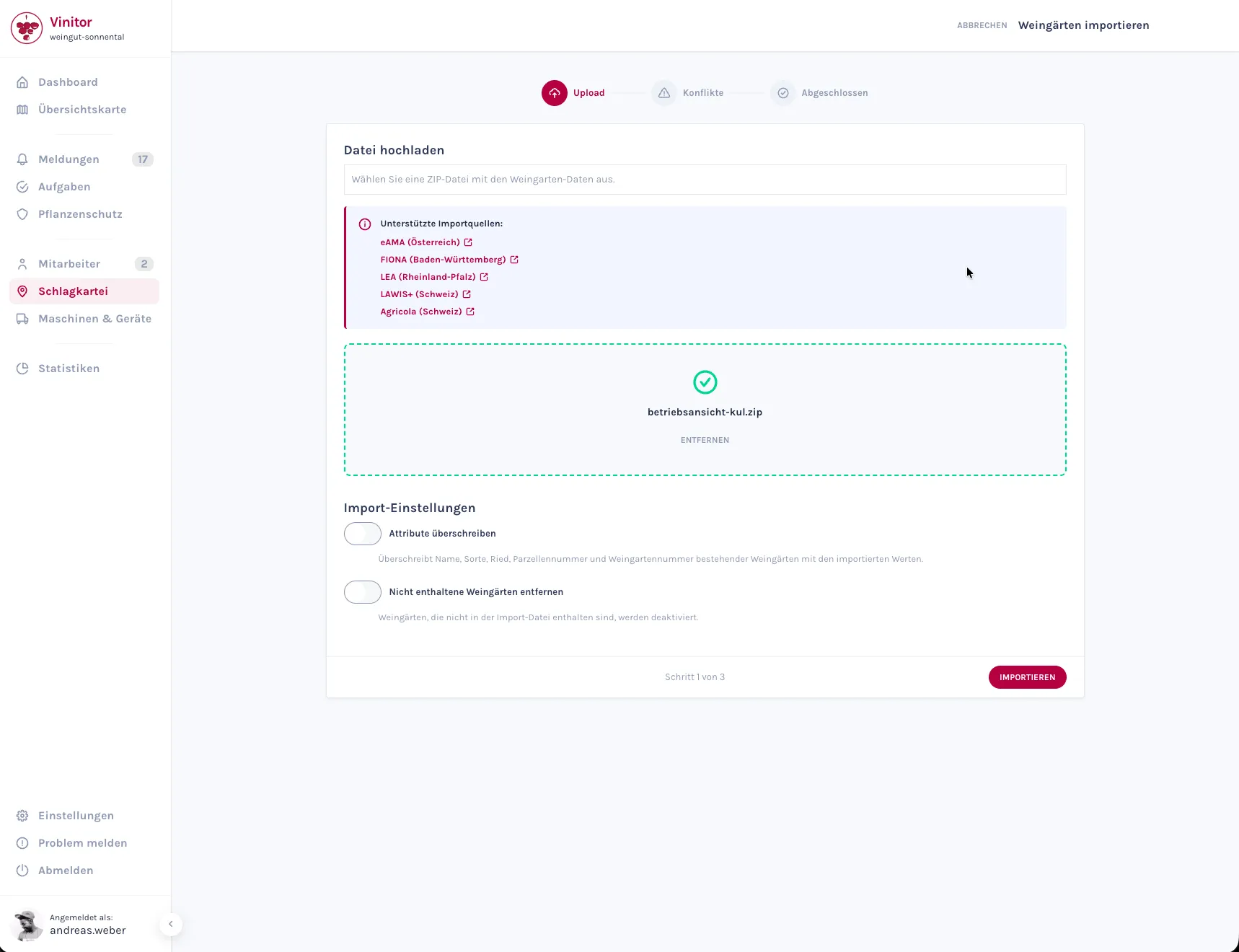
Alongside the existing import formats — eAMA (Austria), LAFIS (South Tyrol), FIONA (Baden-Württemberg) and LEA RLP (Rhineland-Palatinate) — Vinitor now also supports the Swiss LAWIS system. Businesses in cantons such as Graubünden or St. Gallen can import their areas directly. The import automatically recognises and links the two LAWIS file types (crops and management units).
Redesigned User Management
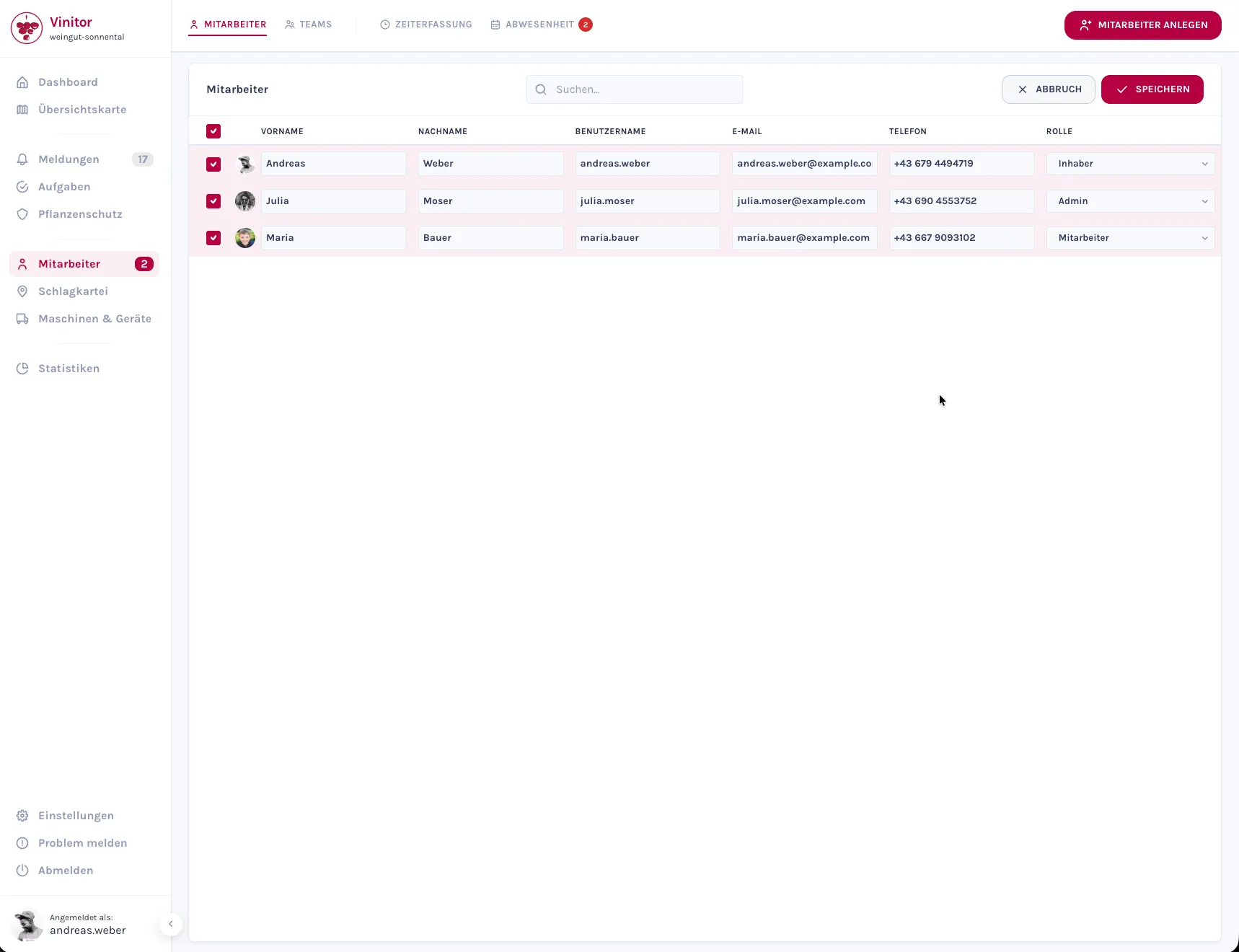
User management in the dashboard has been completely redesigned. Instead of the previous card view, there’s now a sortable table with role badges, inline editing and checkbox selection for bulk actions.
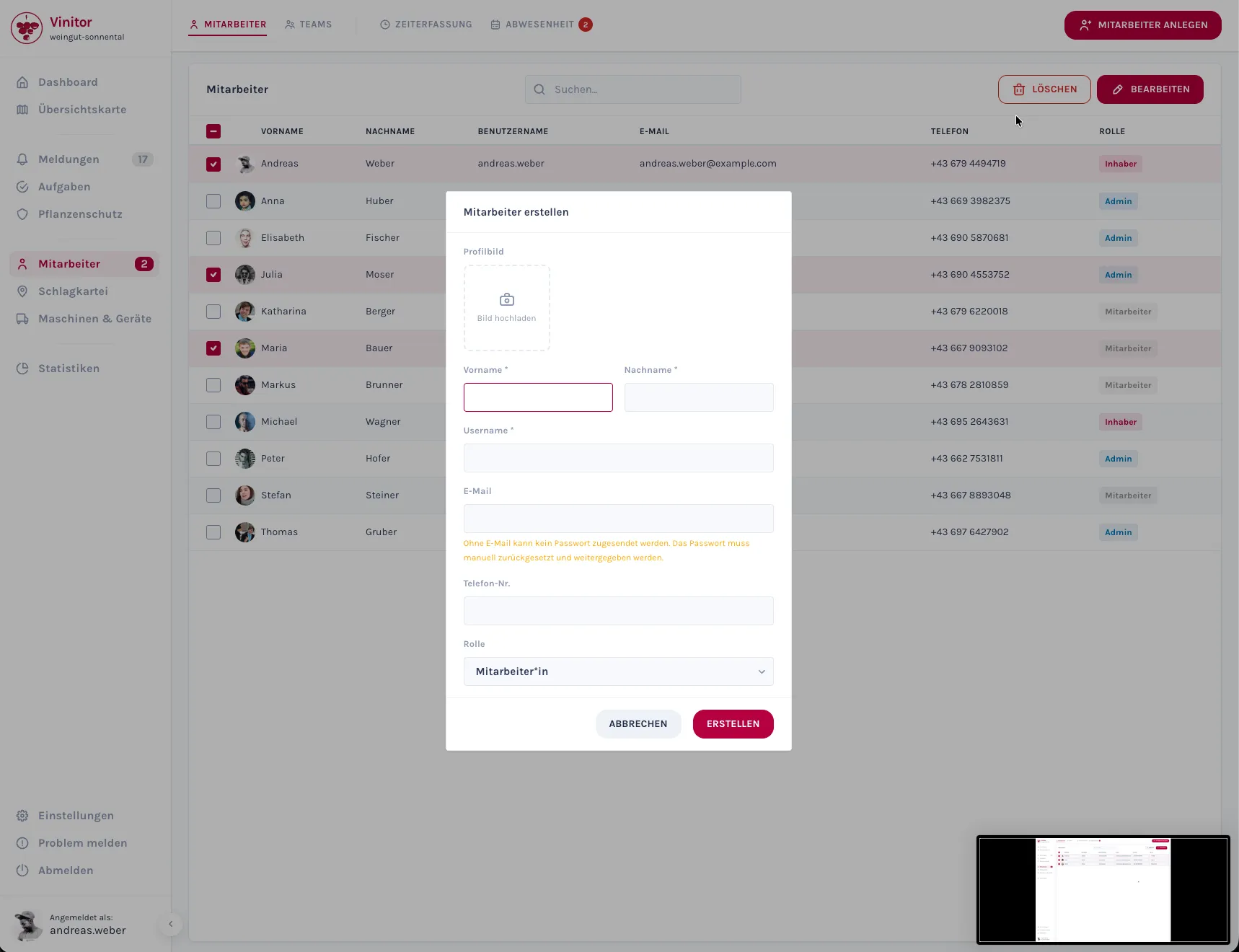
Create new users: A modal lets you create individual users — or several at once via bulk creation. Handy when a whole team needs to be set up at the start of the season.
Teams tab: A new tab on the overview page shows your teams, with the option to edit assignments directly inline.
Permissions: the Foundation for Custom Roles
Behind the scenes, we’ve reworked the permission system. The dashboard and app now actively check access rights — pages and features a user doesn’t have permission for are locked or hidden accordingly. With this, we’re laying the foundation to offer individually configurable roles in future updates.
All the new features are now available in your Vinitor dashboard. We look forward to your feedback — feel free to reach out any time via our support portal, or write to us directly on WhatsApp at +43 681 81742162.